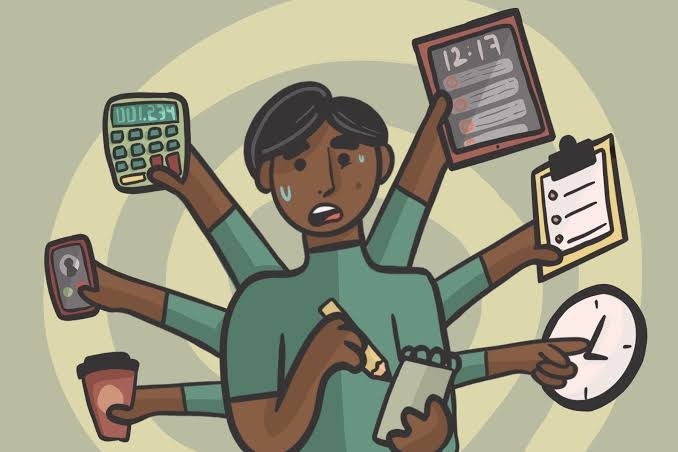
You are halfway through writing something when a message appears. You check it for a few seconds, notice another notification, reply to that, return to your original task—and then need a moment to remember exactly what you were doing.
None of those interruptions seems significant on its own. Repeated throughout a study or work session, however, they can fragment attention.
This is where smartphone-free time and digital multitasking produce very different working environments. Smartphone-free periods reduce opportunities for interruption, while digital multitasking involves moving attention between apps, messages, tabs and tasks.
For activities requiring concentration, a focused period with unnecessary smartphone interruptions removed is generally the more practical approach. Digital multitasking can still be useful when tasks are simple, related or genuinely need to be monitored simultaneously.
Smartphone-Free Time vs Digital Multitasking: Quick Comparison
| Factor | Smartphone-Free Focus Time | Digital Multitasking |
|---|---|---|
| Interruptions | Usually fewer | Usually more |
| Deep concentration | Easier to maintain | More difficult |
| Messaging availability | Reduced temporarily | High |
| Task switching | Lower | Frequent |
| Complex work | Well suited | Often less suitable |
| Simple routine tasks | Suitable | Can also work |
| Mental organisation | Usually simpler | More information to manage |
| Best for | Study, writing, reading, complex tasks | Simple or closely related activities |
1. Multitasking Is Often Rapid Task Switching
People commonly describe themselves as multitasking when they are:
- Writing while checking messages
- Studying while watching videos
- Switching between several browser tabs
- Answering emails during meetings
- Reading while checking social media
For many activities, the brain is not performing two demanding cognitive tasks equally well at exactly the same moment.
Instead, attention moves between them.
This repeated task switching can create additional mental effort because you need to disengage from one activity and reorient yourself to another.
2. Smartphone-Free Periods Reduce Opportunities for Interruption
A smartphone can contain:
- Messages
- Social media
- Videos
- Games
- News
- Shopping
- Notifications
Even when you intend to use only one function, another can attract your attention.
Creating a temporary smartphone-free period removes many of these possible interruptions at once.
For example:
25–45 minutes focused task → short break → check necessary messages → return to task
can be easier to manage than deciding whether to ignore every notification individually.
Better for sustained concentration: Smartphone-free focus time
3. Notifications Can Break Concentration
Notifications are specifically designed to attract attention.
They may use:
- Sounds
- Vibrations
- Pop-ups
- Badges
- Lock-screen previews
Some notifications are genuinely useful.
A message from family, a calendar reminder or an important school or work communication may require attention.
The problem is allowing every application to have the same ability to interrupt you.
Reviewing notification permissions can reduce unnecessary interruptions without requiring you to stop using your phone entirely.
4. Focus Does Not Require Giving Up Technology
“Smartphone-free” does not have to mean “technology-free.”
Someone might put their phone away while continuing to work on a computer.
The objective is to remove unnecessary competing inputs.
For example, if you are writing a report, you may still need:
- A laptop
- Research material
- Documents
- A calculator
- Relevant websites
The goal is not to avoid digital tools. It is to use the tools needed for the current task without continuously switching to unrelated ones.
5. Digital Multitasking Can Make Simple Tasks Feel Productive
Switching rapidly between tasks creates activity.
You may:
- Answer three messages.
- Check two emails.
- Open a document.
- Update a calendar.
- Read part of an article.
At the end, you have interacted with many things.
But activity is not necessarily the same as completing important work.
A useful question is:
“What did I finish?”
rather than:
“How many things did I touch?”
For complex tasks, completing one meaningful piece of work can be more useful than partially engaging with ten activities.
6. Some Multitasking Is Perfectly Reasonable
Not every combination of activities is problematic.
You may be able to combine an automatic or low-demand activity with another task.
Examples might include listening to familiar audio while completing simple household chores.
Likewise, some jobs genuinely require monitoring multiple sources of information.
The important distinction is whether both tasks demand substantial attention.
Trying to understand difficult material while simultaneously following an unrelated video is very different from listening to background audio while folding clothes.
7. Smartphone-Free Study Can Improve the Learning Environment
Studying often requires holding information in mind while connecting it with new material.
Repeated interruptions can disrupt that process.
A focused study setup might involve:
- Necessary books or notes
- Computer only if required
- Phone on silent or placed away
- One clearly defined task
- Planned breaks
This does not mean studying continuously for several hours.
Breaks are normal and useful.
The aim is simply to separate focus periods from interruption periods.
8. Physical Distance Can Help
Sometimes turning the phone face down is not enough.
If you repeatedly reach for it automatically, place it somewhere less immediately accessible during focused work.
For example, it could be placed:
- Across the room
- In a bag
- In another appropriate room
The extra effort required to retrieve it creates a small pause in which you can decide whether checking it is actually necessary.
However, keep the phone accessible when you reasonably need it for safety, communication or the task itself.
9. Use Do Not Disturb or Focus Features
You do not always need to physically remove your smartphone.
Modern devices commonly provide settings that can limit interruptions.
You may be able to:
- Silence selected applications
- Allow calls from important contacts
- Reduce notification banners
- Schedule focus periods
- Limit non-essential alerts
This creates a middle ground between constant availability and switching the phone completely off.
The best setup allows important communication through while filtering interruptions that can wait.
10. Avoid Checking Messages Every Few Minutes
A common pattern is:
Work → check phone → work → check phone → work → check phone
Eventually, checking becomes automatic even when there is no notification.
One alternative is checking non-urgent communication at natural stopping points.
For example:
Complete section → check necessary messages → start next section
This preserves availability without allowing messages to determine the rhythm of your work.
11. Close Unnecessary Browser Tabs Too
Smartphones are not the only source of digital distraction.
A laptop containing 30 open tabs can create similar opportunities for attention to wander.
During focused work, keep only what you reasonably need.
If you find something interesting but unrelated, save it for later rather than immediately following it.
Digital focus is therefore broader than putting away a phone.
It involves creating a working environment with fewer unnecessary choices competing for attention.
12. Focus Periods Do Not Need to Be Extremely Long
There is no requirement to concentrate continuously for several hours.
A practical pattern might involve a manageable period of focused work followed by a break.
Different people prefer different lengths.
Some may work effectively for 25 minutes before pausing, while others prefer longer periods.
The important part is that the focus interval is long enough to make progress but realistic enough to repeat.
13. Breaks Should Actually Feel Like Breaks
Moving from a demanding work screen directly to rapid social-media scrolling does not necessarily provide the type of mental pause you were looking for.
During a break, you could:
- Stand up
- Stretch comfortably
- Get water
- Walk briefly
- Look away from the screen
- Talk to someone
There is nothing inherently wrong with checking your phone during a break.
The key is preventing a planned five-minute break from becoming an unplanned 40-minute interruption.
14. Don’t Turn Focus Into an Extreme Productivity Challenge
A healthy approach to concentration should not require working without meals, rest or movement.
You do not need to:
- Study for hours without stopping
- Ignore hunger
- Reduce sleep
- Avoid friends
- Feel guilty about normal entertainment
- Track every productive minute
Focus is a tool for completing important tasks more effectively, not a competition over who can work the longest.
For students and teenagers especially, adequate sleep, meals, movement, relationships and relaxation remain important parts of a healthy routine.
15. Create Different Rules for Different Tasks
Not every task deserves the same level of concentration.
High-focus tasks
For activities such as:
- Studying difficult material
- Writing
- Coding
- Reading complex information
- Solving problems
reducing unrelated smartphone interruptions can be particularly useful.
Low-focus tasks
For routine activities such as:
- Organising files
- Simple household tasks
- Basic administrative work
some background media or occasional communication may be less disruptive.
Instead of trying to live permanently without your phone, match the level of distraction control to the task.
Smartphone-Free Time or Digital Multitasking: Which Is Better?
Smartphone-free focus periods may be better if:
- You repeatedly check notifications.
- You are studying difficult material.
- You need to write or solve complex problems.
- You frequently lose track of what you were doing.
- Social media interrupts your work.
- You want clearer boundaries between focus and communication.
Digital multitasking may be manageable if:
- The tasks are simple.
- One activity requires little active attention.
- Monitoring information is genuinely part of your work.
- Switching does not interfere with accuracy or completion.
Use a flexible approach if:
You need your phone for legitimate communication but do not need every app interrupting you.
Allow important calls or messages while silencing non-essential notifications during focused work.
A Simple Focus Routine
You do not need an elaborate productivity system.
Try:
1. Choose one specific task.
Instead of “study,” decide what you are actually going to complete.
2. Remove unnecessary interruptions.
Silence non-essential notifications or place the phone away.
3. Work for a manageable period.
Focus on the chosen task rather than constantly monitoring other apps.
4. Take a normal break.
Move, rest your eyes or check genuinely necessary communication.
5. Repeat if needed.
Stop when your planned work is complete rather than turning concentration into an endurance test.
The purpose of smartphone-free time is not to prove that smartphones are bad. Phones are extremely useful tools.
The advantage comes from deciding when you want to give something your full attention instead of allowing every digital service to compete for it simultaneously.
FAQs
Q1. Does putting your smartphone away improve focus?
A. It can help by reducing notifications and opportunities for unrelated checking. The benefit is particularly noticeable during tasks that require sustained concentration, such as studying, writing or problem-solving.
Q2. Is multitasking bad for productivity?
A. Frequently switching between demanding tasks can make concentration more difficult and create additional mental effort. Some simple activities can be combined without major problems, so the effect depends on what the tasks require.
Q3. How long should smartphone-free time last?
A. There is no universal duration. Start with a manageable focus period that fits the task and take normal breaks. The objective is consistent concentration, not remaining disconnected for as long as possible.
Q4. Do I need to switch my phone off completely while studying?
A. Not necessarily. Silent mode, Do Not Disturb or focus settings may be enough. Important contacts can remain available while unnecessary app notifications are temporarily restricted.
Q5. Can smartphones be useful for productivity?
A. Yes. Smartphones can provide calendars, educational resources, notes, communication and other useful tools. The issue is not the device itself but whether unrelated notifications and apps repeatedly interrupt the task you are trying to complete.