Delhi runs on paperwork. An income certificate for a scholarship, a caste certificate for a government job, a domicile certificate for a university admission, a Lal Dora certificate for a property matter — the city’s 20 million residents generate millions of these document requests every year. For decades, getting any of them meant taking time off work, finding the right SDM office, standing in a long queue, submitting documents to a clerk, and coming back multiple times before the certificate was actually in hand.
The e-District Delhi portal changed that pipeline. Available at edistrict.delhigovt.nic.in, it is the official online platform of the Revenue Department, Government of NCT of Delhi, for citizen certificates and services. Residents can register with their Aadhaar, apply for income certificates, caste certificates, domicile certificates, SC/ST/OBC certificates, Lal Dora certificates, solvency certificates, and several other documents online, track their application status in real time, and download digitally signed certificates — all without stepping into a government office.
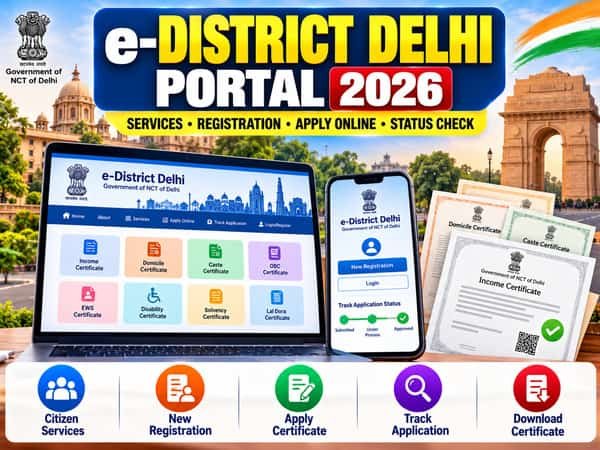
This guide covers everything a Delhi resident needs to know about the e-District Delhi portal in 2026: the complete service list, registration process, how to apply for each major certificate, what documents are required, how to check status, how to download and verify certificates, and how to resolve common problems.
What Is the e-District Delhi Portal?
The e-District Delhi portal (edistrict.delhigovt.nic.in) is a comprehensive, web-enabled citizen service platform through which residents of the National Capital Territory of Delhi can access various services provided by the Government of NCT of Delhi. It is described officially as providing an “end-to-end integrated solution to various services” and enables online verification of certificates issued by the Revenue Department.
The portal is managed by the Revenue Department, Government of NCT of Delhi, and was developed under the National e-Governance Plan’s e-District Mission Mode Project. It is the primary digital channel through which Delhi’s Sub-Divisional Magistrate (SDM) offices interact with citizens for certificate applications and approvals.
The SDM office is the core authority in the e-District Delhi system. While the portal allows online application and document submission, the final verification and approval for most certificates is done by the SDM or officers under the SDM’s jurisdiction. Understanding this relationship — the portal facilitates, the SDM approves — helps citizens set realistic expectations about processing timelines.
Complete List of Services on e-District Delhi Portal
The e-District Delhi portal offers services primarily from the Revenue Department, with additional services from other government departments. The full list currently available includes:
Revenue Department — Certificates and Documents
| S.No | Service |
| 1 | Issuance of Income Certificate |
| 2 | Issuance of Domicile Certificate |
| 3 | Issuance of Caste (SC) Certificate |
| 4 | Issuance of Caste (ST) Certificate |
| 5 | Issuance of OBC Certificate (Delhi State OBC) |
| 6 | Issuance of Surviving Member Certificate |
| 7 | Issuance of Solvency Certificate |
| 8 | Issuance of Lal Dora Certificate |
| 9 | Issuance of Land Status Report |
| 10 | Issuance of Permanent Identity Card to Disabled Person (Disability Identity Card) |
| 11 | Issuance of Record of Rights (ROR) |
| 12 | Issuance of Delayed Birth Order |
| 13 | Issuance of Delayed Death Order |
| 14 | Registration of Marriage |
| 15 | Mutation |
Other Department Services
| S.No | Service |
| 16 | Provisional Certificate of Cinematograph |
| 17 | Payment of Government Due / Recovery |
| 18 | Payment and Relief Service |
| 19 | Online Cause List |
| 20 | Mukhyamantri Tirth Yatra Yojana |
Among all these, the five most commonly applied-for services are the Income Certificate, Domicile Certificate, Caste (SC) Certificate, Caste (ST) Certificate, and OBC Certificate — each detailed individually below.
Understanding the Delhi OBC Certificate — A Critical Distinction
Before diving into the certificates, there is one distinction that every Delhi resident applying for an OBC certificate must understand. Delhi has two different types of OBC certificates, and confusing them is the most common reason for application rejection or failure:
Delhi State OBC Certificate — Issued for those whose families have been residents of Delhi since 1993 or before. This certificate is used for Delhi state government jobs, Delhi government schemes, and Delhi University admissions under state quota. Proof of continuous residence in Delhi since 1993 is mandatory — documents like a 1993 ration card, voter ID from 1993, or school certificates from that period are required.
Central OBC Certificate — Issued for central government jobs, central government schemes, and institutions under the central government (like DU central quota seats, IITs, NITs). This is not issued through the e-District Delhi portal. If you have migrated to Delhi from another state (UP, Bihar, Rajasthan, etc.), you need to get the Central OBC certificate from your home state’s SDM office or relevant authority — the Delhi e-District portal cannot issue it.
This distinction matters enormously for job applicants. A Delhi State OBC certificate will be rejected if submitted for a central government job application, and vice versa. Confirm which type you need before applying.
Key Certificates — Purpose, Eligibility, and Documents
Income Certificate (आय प्रमाण पत्र)
The Income Certificate verifies the total annual income of the applicant’s family from all sources. It is one of the most frequently needed certificates in Delhi, required for:
- Government scholarships — state and central schemes
- Fee waivers, concessions, and EWS reservations in educational institutions
- Economically Weaker Section (EWS) benefits and reservations
- Government welfare schemes including Delhi Ladli Scheme, PDS eligibility, PMAY
- Bank loans under priority sector lending for education, small business, and housing
- Old age, widow, and disability pension applications
- BPL and NFSA ration card eligibility
- Free medical treatment in government hospitals
- Non-Creamy Layer (NCL) proof for OBC applicants
Validity: The income certificate issued through e-District Delhi is valid for 6 months from the date of issue. Unlike some other states where the income certificate is valid for a year or more, Delhi’s income certificate has a shorter validity period. Once expired, the certificate cannot be renewed — a fresh application must be submitted.
Eligibility: Any permanent resident of Delhi whose family annual income needs official certification. The applicant’s Aadhaar must reflect a Delhi address.
Documents Required:
- Aadhaar Card (mandatory — Delhi address preferred)
- Proof of residence in Delhi: Voter ID, ration card, electricity/water bill, or rent agreement
- Salary slips or pay certificate (for salaried applicants)
- ITR (Income Tax Return) acknowledgement or Form 16 (for higher-income applicants)
- Bank statements for the past 6–12 months (for business income)
- Self-declaration of income (affidavit on appropriate stamp paper for non-salaried)
- Ration Card (if available)
- Passport-size photograph
Processing Time: Typically 10 to 15 working days, subject to field verification by the SDM office.
Domicile Certificate (अधिवास प्रमाण पत्र)
The Domicile Certificate is proof that the applicant is a permanent resident of Delhi — not merely someone currently residing in Delhi temporarily. It is distinct from a residence certificate, which may simply confirm a current address. The domicile certificate is required for:
- Delhi government job applications requiring NCT Delhi domicile
- Reservations in Delhi University and other state-quota educational admissions
- Application for Delhi government welfare schemes with domicile requirements
- Delhi State OBC certificate application (domicile is a prerequisite)
- Several other government benefits available exclusively to Delhi domicile holders
Eligibility: The applicant must have been continuously residing in Delhi for at least 3 years. Proof of continuous stay is the core requirement.
Documents Required:
- Aadhaar Card
- Ration Card (with Delhi address)
- Voter ID (Delhi address)
- Proof of continuous residence for minimum 3 years: electricity bills, water bills, bank statements, school records, or rent agreements with dates
- Date of birth proof: school certificate, birth certificate, or passport
- Passport-size photograph
Caste Certificate — SC (अनुसूचित जाति प्रमाण पत्र)
The Scheduled Caste (SC) Certificate is required for:
- Reservation in government jobs (15% quota)
- Educational reservations in Delhi government and central institutions
- Scholarship eligibility for SC students
- Various government welfare schemes exclusively for SC communities
- Post-matric scholarship and pre-matric scholarship applications
Eligibility: Delhi residents belonging to communities notified as Scheduled Castes under the Constitution of India. The applicant (or their parents) must be residents of Delhi.
Documents Required:
- Aadhaar Card
- Proof of Date of Birth: School Transfer Certificate, Birth Certificate, or Passport
- Copy of SC certificate of father, mother, brother, sister, or any blood relative from paternal side (if available — this is the strongest supporting document)
- Proof of residence in Delhi: Ration Card, Voter ID, or electricity bill
- If no family SC certificate is available: Two attestations by an MP, MLA, Councillor, or Gazetted Officer declaring the caste of the applicant and confirming continuous stay in Delhi, along with attested copies of their identity cards
Note: All documents submitted for the SC certificate must be attested by an MP, MLA, Gazetted Officer, or Councillor.
Processing Time: 14 working days from the date of complete application submission. If physical verification is required by the SDM, additional time may be needed.
Fee: No fee is charged for SC/ST caste certificate issuance.
Caste Certificate — ST (अनुसूचित जनजाति प्रमाण पत्र)
The Scheduled Tribe (ST) Certificate follows the same process and document requirements as the SC certificate, with tribe-specific details replacing caste details in the application form. Required for:
- 5% reservation in government jobs
- Educational reservations in central and state institutions
- ST-specific scholarship and welfare scheme eligibility
The document requirement for the SC/ST certificate when no family certificate exists is specific: two government employees must certify that the applicant is a permanent resident of Delhi and is known to them as belonging to the specified ST community, along with attested identity card copies.
OBC Certificate — Delhi State (अन्य पिछड़ा वर्ग प्रमाण पत्र)
For Delhi residents applying for Delhi State OBC benefits:
Core Eligibility Requirement: The applicant’s family must have been residing in Delhi since 1993 or earlier. This is the non-negotiable foundation of Delhi State OBC eligibility.
Documents Required:
- Aadhaar Card
- Proof of Delhi residence since 1993 or before: Ration Card issued before 1993, Voter ID from 1993, School certificate from a Delhi school dated 1993 or earlier
- OBC certificate of father, brother, sister, or blood relative from paternal side (if available)
- Two attestations by MP/MLA/Councillor/Gazetted Officer confirming caste and continuous Delhi residence since 1993
- Proof of date of birth
- Ration Card
- Passport-size photograph
If the family migrated to Delhi after 1993 and did not have Delhi residence before that year, the Delhi State OBC certificate cannot be issued. Apply for the Central OBC certificate from your home state instead.
Surviving Member Certificate (जीवित सदस्य प्रमाण पत्र)
The Surviving Member Certificate identifies the surviving legal heirs/members of a deceased person. It is required for:
- Pension and provident fund claims after the death of a government employee
- Insurance claim settlements
- Bank account succession
- Property inheritance and succession
- Employment on compassionate grounds (surviving family member appointment in government)
Documents Required:
- Death certificate of the deceased
- Aadhaar Card of the applicant
- Proof of relationship with the deceased (ration card, birth certificate, marriage certificate)
- Proof of residence in Delhi
- Details of all surviving family members
Solvency Certificate (शोधन क्षमता प्रमाण पत्र)
The Solvency Certificate officially certifies the financial standing and net worth of an individual based on assets held in Delhi. Required for:
- Government contracts and tenders
- Court suretyship (bail bond purposes)
- Business licensing requiring financial standing proof
- Passport applications in some cases
Note: Physical verification may be required for solvency certificate applications, involving an inspection of the property and assets declared.
Lal Dora Certificate (लाल डोरा प्रमाण पत्र)
The Lal Dora Certificate is unique to Delhi and a handful of other places with historically demarcated village settlement areas. “Lal Dora” refers to the traditional village abadi (settlement) areas in Delhi that were demarcated with a red thread (lal dora) by the British to mark village boundaries exempt from municipal construction regulations.
Lal Dora certificate is required for:
- Establishing that a property falls within the Lal Dora/Phirni area of a village in Delhi
- Property transactions involving Lal Dora land
- Regularisation of constructions in these traditionally exempt areas
- Legal and court proceedings involving property rights in Delhi villages
This is a document specific to Delhi’s urban-village geography and has no equivalent in most other states.
Disability Identity Card (दिव्यांगजन पहचान पत्र)
The Permanent Identity Card for Disabled Persons (also called Disability Identity Card or Divyangjan Identity Card) is required for:
- Accessing reservations and benefits under the Rights of Persons with Disabilities Act, 2016
- Disability concessions on railway and air travel
- Priority in government service appointments under disability quota
- Educational institution reservations for PwD candidates
- Government welfare schemes for persons with disabilities
Marriage Registration (विवाह पंजीकरण)
Online marriage registration for Delhi residents is available through the e-District portal. Required for:
- Legal recognition of marriage in India
- Passport applications (particularly for women changing surname)
- Bank account name change
- Insurance and nomination updates
- Visa applications (particularly for overseas travel after marriage)
- Property inheritance and succession rights
How to Register on e-District Delhi Portal
Registration on edistrict.delhigovt.nic.in is free and mandatory before accessing citizen services.
Step 1 — Visit the Official Portal
Open edistrict.delhigovt.nic.in in a browser. Google Chrome or Mozilla Firefox on a desktop or laptop is recommended for best compatibility.
Step 2 — Click Apply Service
On the homepage, under “Our Services,” click on “Apply Service.” This takes you to the Citizen Login Form.
Step 3 — Register as a New User
If you are a new user, click “Register” or “New User Registration.” You will be asked to select a document type for identity verification.
Step 4 — Select Aadhaar and Enter Details
Select “Aadhaar Card” as the document type (recommended). Enter your 12-digit Aadhaar number and the captcha code, then click “Continue.” The Citizen Registration Form will open with some details pre-filled from the Aadhaar database.
Step 5 — Complete the Registration Form
Fill in your complete personal details:
- Full name (as on Aadhaar)
- Date of birth
- Gender
- Full residential address in Delhi (House/Flat number, Street, Locality, District, Sub-Division/SDM area, Pin Code)
- Active mobile number
- Email ID (recommended for notifications)
Step 6 — Submit and Receive Access Code
Click “Continue Registration.” An Access Code and temporary password will be sent to your registered mobile number via SMS.
Step 7 — Complete Registration
Return to the portal login page. Enter your Aadhaar number, the Access Code received by SMS, and the password. Enter the captcha and click “Complete Registration.”
Your e-District Delhi citizen account is now active. From this point, log in using your User ID (usually Aadhaar-based) and password.
If “Aadhaar Already Exists” error appears: This means an account was previously created with your Aadhaar. Use the portal’s “Forgot User ID/Password” option, enter your Aadhaar number and verify via mobile OTP, then reset your password to regain access.
How to Apply for Certificates on e-District Delhi Portal
Step 1 — Log In
Visit edistrict.delhigovt.nic.in and log in with your User ID and password.
Step 2 — Click Apply Services
From the homepage or dashboard, click “Apply Services” or “Our Services” → “Apply Service.”
Step 3 — Select Department and Service
Select the relevant department (Revenue Department for most certificates) and then choose the specific service — Income Certificate, Domicile Certificate, Caste SC Certificate, OBC Certificate, etc.
Step 4 — Select Your Sub-Division
Select your Sub-Division (SDM area) from the dropdown. This is the administrative sub-division of Delhi in which you reside. Your application will be routed to the corresponding SDM office for verification and approval. Selecting the correct sub-division is essential — a wrong selection routes your application to the wrong office and will cause rejection or delay.
Delhi’s Sub-Divisions include areas like Civil Lines, Mehrauli, Najafgarh, Kanjhawala, Alipur, City, Hauz Khas, Sadar, Vasant Vihar, Lodhi Colony, and others. Choose the one corresponding to your residential address.
Step 5 — Fill the Application Form
Complete the online application form carefully:
- Personal details: name, date of birth, father’s/husband’s name, gender
- Residential address in Delhi (complete and accurate)
- Service-specific information: income from all sources (for income certificate), caste details (for caste certificate), duration of Delhi residence (for domicile)
- Purpose of the certificate
Step 6 — Upload Supporting Documents
Upload scanned copies of all required documents. Guidelines for uploads:
- Format: PDF or JPG
- File size: typically under 1 MB per document (check the specific service requirement)
- Quality: clear, readable, properly oriented scans — blurry photographs are the most common rejection reason
Application forms for various certificates can also be downloaded from the portal’s Downloads section (edistrict.delhigovt.nic.in/in/en/Public/Downloads.html), printed, filled, and scanned for upload where physical form submission is required.
Step 7 — Review and Submit
Review all details carefully before submitting. Once submitted, the system generates a unique Application Number. Note this number immediately — it is your tracking ID for the entire application lifecycle.
Step 8 — Verification and SDM Approval
After submission:
- Application is assigned to the relevant SDM office
- Field verification may be conducted for certain certificates (a government officer may visit your address)
- SDM reviews the application and documents
- SDM approves and digitally signs the certificate, or rejects with a reason
Step 9 — Download Certificate
Once approved, the digitally signed certificate is available for download through the portal.
How to Track Application Status on e-District Delhi
Method 1 — Through the Portal
Visit edistrict.delhigovt.nic.in. Click on “Track Your Application” from the Citizen’s Corner section on the homepage. On the tracking page:
- Select the Department
- Select the Applied Service (certificate type)
- Enter your Application Number
- Enter the Applicant’s Name
- Click “Search”
Your application’s current status will display on screen — whether it is under review, pending for verification, approved, or rejected.
Method 2 — Through Login
Log in to your account and navigate to “My Applications” or the application history section. All your active and past applications will be listed with their current statuses.
Understanding Status Messages
| Status | Meaning | Action Required |
| Submitted | Application received by the portal system | Wait for SDM assignment |
| Pending for Verification | Assigned to SDM office; verification in progress | Wait; field officer may visit your address |
| Under Process | SDM office is actively processing | No action needed; check again in 2–3 days |
| Approved | Certificate issued — ready to download | Log in and download the certificate PDF |
| Rejected | Application rejected | Read rejection reason; correct and reapply |
| Additional Info Required | SDM has requested more documents or clarification | Visit SDM office with original documents |
If your application has been “Pending for Verification” for more than 15 working days, carry your acknowledgement slip and all original documents to the nearest SDM office and follow up in person. Mention your Application Number — this typically accelerates processing.
How to Download Your Certificate from e-District Delhi
Step 1 — Log in to edistrict.delhigovt.nic.in using your User ID and password.
Step 2 — Click on “Download Your Certificate” or “Print/Download Certificate” from the main menu or Citizen’s Corner.
Step 3 — Enter your Application Number and the captcha code shown on screen. Click “Continue.”
Step 4 — Your approved certificate will appear as a digitally signed PDF. Click Download to save it.
Step 5 — The downloaded certificate carries the SDM’s digital signature and is legally valid across India under the Information Technology Act, 2000. Physical office seal or manual signature is not required on a digitally signed certificate.
Certificates issued through e-District Delhi are also verifiable online, which means any institution (college, bank, employer) can confirm a certificate’s authenticity directly on the portal without needing physical verification from an office.
How to Verify a Certificate Issued by e-District Delhi
Any third party — a college admissions office, bank, employer, or court — can verify the authenticity of a certificate issued through e-District Delhi:
Visit edistrict.delhigovt.nic.in and look for the “Certificate Verification” or “Download/Verify Certificate” option. Enter the certificate number. The portal will confirm whether the certificate is genuine and display the details. Most certificates also carry a QR code that, when scanned, redirects to the verification page directly.
This online verification eliminates the possibility of submitting forged certificates for official purposes — any institution can check the certificate’s authenticity within seconds.
Offline Application — SDM Office
While the e-District portal handles most certificate applications digitally, certain situations require visiting the SDM office in person:
- Physical verification required: Marriage registration, solvency certificate, and some OBC applications require physical document verification or an officer’s site visit.
- When application is stuck: If an application remains in “Additional Info Required” or “Pending for Verification” status beyond reasonable timelines, visiting the SDM office with original documents is the most effective resolution.
- First-time applications with complex document situations: Some SC/ST applications where no family certificate is available may be more efficiently handled with an initial SDM office consultation.
For offline application, approach the SDM office corresponding to your residential area, collect the prescribed application form, fill it accurately, attach all required documents (attested where specified), and submit at the counter. You will receive an acknowledgement receipt with a unique application number.
To find your SDM office: Delhi is divided into 33 sub-divisions, each with its own SDM office. Your SDM office is determined by your residential ward and sub-division. The Revenue Department, Government of NCT of Delhi website (revenue.delhi.gov.in) lists all SDM offices with addresses and contact numbers.
Common Service Centres (CSC) — Assisted Service
For Delhi residents who find the online application process difficult or who do not have internet access, Common Service Centres (CSCs) across Delhi provide assisted e-District application services. A trained operator at the CSC will handle the registration, form filling, document scanning and uploading, and application submission on your behalf.
A nominal service charge is typically levied at CSCs for their assistance. Carry all original documents and photocopies when visiting a CSC.
To find the nearest CSC: Search “Common Service Centre near me” on Google Maps or ask at your local ward office.
Important URLs — e-District Delhi Portal
| Purpose | URL |
| Main Portal | edistrict.delhigovt.nic.in |
| Apply Service / Login | edistrict.delhigovt.nic.in/in/en/Home/Index.html |
| New User Registration | edistrict.delhigovt.nic.in/in/en/Account/Register.html |
| Track Application | edistrict.delhigovt.nic.in (Track Your Application section) |
| Download / Verify Certificate | edistrict.delhigovt.nic.in/in/en/Public/DownloadVerifyCertificate.html |
| Application Forms Download | edistrict.delhigovt.nic.in/in/en/Public/Downloads.html |
| Services List | edistrict.delhigovt.nic.in/in/en/public/services.html |
| Contact Details | edistrict.delhigovt.nic.in/in/en/Public/ContactDetails.html |
| Revenue Department Delhi | revenue.delhi.gov.in |
| Helpline | 011-23935730 |
Common Problems and Solutions
Problem 1 — “Aadhaar Already Exists” During Registration
An account already exists with your Aadhaar number. Click “Forgot User ID/Password” on the login page, enter your Aadhaar number, verify with mobile OTP, and reset your password to regain access to the existing account.
Problem 2 — Aadhaar Has a Different State Address
If your Aadhaar shows an address from another state (UP, Bihar, etc.) and you have shifted to Delhi, update your Aadhaar address to reflect your Delhi address first. Without a Delhi address on your Aadhaar, applications for Delhi-specific certificates like the Domicile Certificate may face complications. Update Aadhaar address through the UIDAI portal (uidai.gov.in) or the nearest Aadhaar Seva Kendra.
Problem 3 — Application Stuck in “Pending for Verification”
If this status has not changed for more than 15 working days, visit the SDM office corresponding to your sub-division. Carry your acknowledgement slip (print the acknowledgement from the portal after submission) and all original documents. Mention your Application Number at the counter. Physical presence at the SDM office is the most reliable way to unblock a stalled application.
Problem 4 — Application Rejected
Log in and check the specific rejection reason in your application details. Common rejection reasons include mismatched name between Aadhaar and application, Aadhaar address not reflecting Delhi, blurry or illegible document uploads, missing required documents, wrong sub-division selected, or insufficient proof for domicile/caste eligibility. Correct the identified issue and reapply.
Problem 5 — Wrong Sub-Division Selected
If you realised after submission that you selected the wrong sub-division, contact the helpline at 011-23935730 for guidance. In most cases, withdrawing the application and reapplying with the correct sub-division is the simplest resolution.
Problem 6 — Cannot Upload Documents
Ensure each file is in PDF or JPG format and under the size limit (typically 1 MB per file). Use a document scanning app on your mobile (CamScanner, Adobe Scan, or similar) for clear, properly cropped scans. If the upload button is unresponsive, try a different browser — Google Chrome or Mozilla Firefox tend to work best with government portals.
Problem 7 — Certificate Not Downloading After Approval
Log in and go to “Download Your Certificate.” Enter your Application Number carefully. If the PDF downloads but shows a “Digital Signature Invalid” warning in Chrome, open the same PDF in Adobe Reader instead — the certificate is valid, Chrome simply cannot verify digital signatures the same way Adobe Reader can.
Problem 8 — Income Certificate Expired Before Use
Delhi income certificates are valid for 6 months only. If yours has expired before you could use it, a fresh application must be submitted — there is no renewal option. Apply again through the same process with updated income documents.
Practical Tips for a Smooth Application
Have your Aadhaar updated with a Delhi address before applying. This is the single most important preparation step for any e-District Delhi certificate application — especially for domicile and income certificates.
Scan documents properly before starting the application. Clear, cropped, properly-oriented scans are essential. Blurry photos of documents taken with a mobile camera held at an angle are a primary cause of rejection. Invest 15 minutes in good scanning before you start.
Select the correct sub-division. Know which sub-division (SDM area) your residential address falls under before starting the application. Selecting the wrong one routes your application to the wrong SDM office.
Apply well before deadlines. Income and domicile certificate processing takes 10 to 15 working days, and field verification can extend this further. For scholarship or admission deadlines, apply at least 4 to 6 weeks in advance.
Keep the acknowledgement slip. After successful submission, download and print your acknowledgement slip. It contains your Application Number and is essential for any follow-up at the SDM office.
For OBC applications, confirm which type you need — Delhi State OBC or Central OBC — before applying. Applying for the wrong type wastes time and causes frustration.
Who Should Use the e-District Delhi Portal
Students across Delhi’s colleges and schools — applying for scholarships, fee waivers, EWS admissions, SC/ST/OBC educational reservations, or government educational institution admissions — will need income, caste, and domicile certificates. The e-District portal is the official source for all of them.
Government Job Applicants for Delhi government positions need SC/ST/OBC certificates and domicile certificates at various stages of the selection process. The portal’s digitally signed certificates are accepted across all Delhi government departments.
Property Owners in Delhi Villages dealing with land transactions, construction regularisation, or property records in traditional village abadi areas need the Lal Dora Certificate — a Delhi-specific document available exclusively through this portal.
Business Applicants participating in government tenders, applying for business licences, or providing court suretyship need the Solvency Certificate available through the portal.
Families dealing with the death of a member — managing pension claims, insurance settlements, bank succession, or compassionate employment applications — need the Surviving Member Certificate through the portal.
Persons with Disabilities applying for the Permanent Disability Identity Card through the portal can access transportation concessions, job reservations, and scheme benefits under the Rights of Persons with Disabilities Act, 2016.
Conclusion
The e-District Delhi portal at edistrict.delhigovt.nic.in has genuinely simplified the most routine yet consequential paperwork of life in the capital. For a city of 20 million people who need income certificates for scholarships, caste certificates for jobs, domicile certificates for admissions, and Lal Dora certificates for property matters, an online portal that handles the application, tracks the progress, and delivers a digitally signed certificate at the end is a real improvement over the SDM office queue system of the past.
The portal is not without friction — OBC certificate complexity trips up many applicants, “Pending for Verification” statuses can linger, and Aadhaar address mismatches create unnecessary complications for migrants who have made Delhi home. But with the right preparation — updated Aadhaar, clear document scans, correct sub-division selection, and sufficient lead time before deadlines — the e-District Delhi portal delivers on its promise of digital access to government services from home.
For any Delhi resident needing a Revenue Department certificate in 2026, the process starts at edistrict.delhigovt.nic.in. Register with your Aadhaar, apply online, track your application, and download your certificate. The SDM office remains in the loop — but you no longer have to stand outside it.
FAQs About e-District Delhi Portal
Q1. What is the official website of e-District Delhi?
A. The official website of the e-District Delhi portal is edistrict.delhigovt.nic.in. It is an online platform of the Revenue Department, Government of NCT of Delhi, for citizen services such as income, domicile, caste (SC/ST/OBC), surviving member, solvency, Lal Dora, and disability identity card services, among others.
Q2. How long is the Delhi income certificate valid?
A. An income certificate issued through e-District Delhi is generally valid for six months from the date of issue. After its validity expires, a fresh application may be required rather than renewal of the existing certificate.
Q3. What is the difference between Delhi State OBC and Central OBC Certificate?
A. A Delhi State OBC Certificate is intended for benefits and reservations applicable under the Delhi government’s OBC framework, subject to its residence and eligibility requirements. A Central OBC Certificate is used for reservation benefits under the Central Government, including eligible central government jobs and educational institutions. Applicants should check the relevant OBC list and eligibility requirements for the authority or institution where the certificate will be used.
Q4. How do I check my application status on e-District Delhi?
A. Visit the e-District Delhi portal and select “Track Your Application” from the Citizen’s Corner. Choose the department and applied service, enter your application number and applicant’s name, and select “Search” to view the current status. Registered users may also log in and check their applications from their account.
Q5. How long does it take to get a caste certificate from e-District Delhi?
A. An SC/ST caste certificate is generally processed within approximately 14 working days after submission of a complete application. Processing may take longer if physical or additional verification is required. OBC certificate processing timelines may be similar depending on the application and verification requirements.
Q6. Is the digitally signed certificate from e-District Delhi legally valid?
A. Yes. Certificates issued electronically through e-District Delhi can carry an authorised digital signature and online verification details. A valid digitally signed electronic certificate can be used without obtaining a separate manual signature or physical seal where the receiving authority accepts the electronic certificate.
Q7. What is a Lal Dora Certificate and who needs it?
A. A Lal Dora Certificate relates to property situated within the traditionally demarcated village abadi or Lal Dora area of a Delhi village. It may be required for certain property-related transactions, administrative procedures, regularisation matters, or legal proceedings involving properties situated within these areas.